 GLOBEWICK
How to Add Your Website and Business to Google
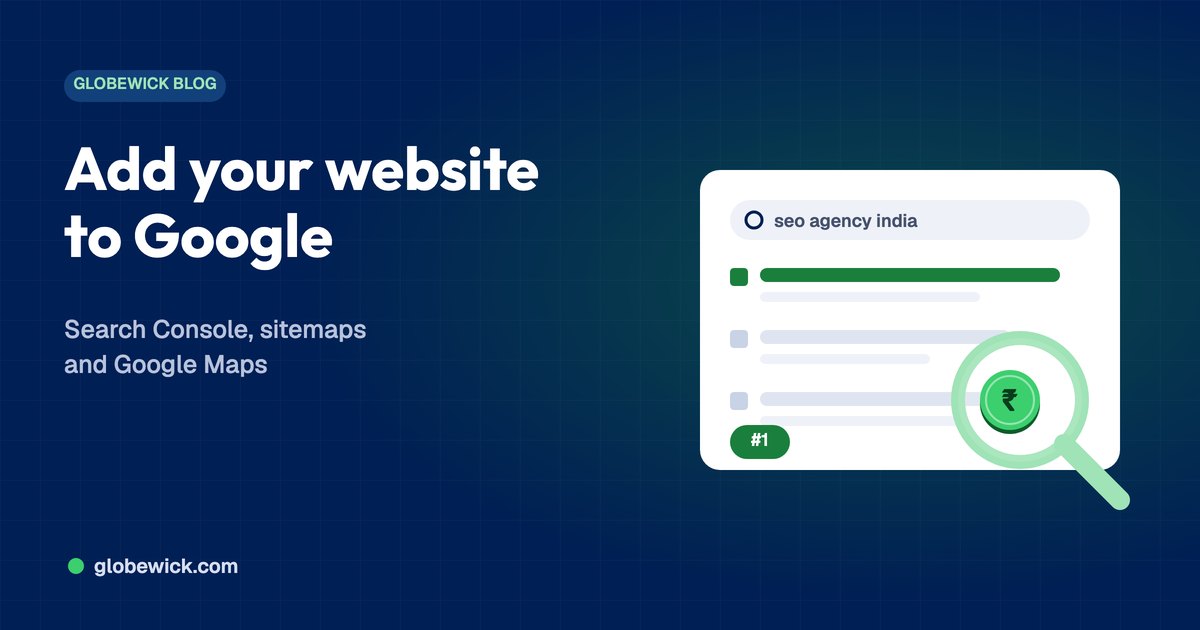
To add your website to Google, verify it in Google Search Console, submit an XML sitemap and request indexing for your main pages. To add your business to Google Search and Maps, create and verify a free Google Business Profile. Google does not charge for either, and most new sites appear within days to a few weeks.
"Add website to Google", "add my website to Google" and "add me to Google" were each searched 1,000 to 10,000 times a month across India and the United States, according to Google Ads Keyword Planner data we pulled in November 2026. Map-focused searches such as "add restaurant to Google Maps" sit lower, in the 100 to 1,000 band in each market.
We set up Search Console and Business Profiles for every new SEO client before any other work, because nothing else matters if Google cannot find the site. This guide covers adding a website, adding a business listing, adding a place to Maps, and what to do when your site still does not show.
Does Google find new websites on its own?
Often, yes. Google discovers pages by following links from sites it already knows. If another site links to yours, Google will usually crawl it sooner or later. But "sooner or later" can mean weeks, and Google may only pick up a few pages. Adding your site through Search Console speeds this up, shows you exactly which pages are indexed, and tells you when something is blocking them.
There is no paid way to get into Google's organic results. Anyone offering to "submit your site to Google" or "to 300 search engines" for a fee is selling something you can do yourself in half an hour.
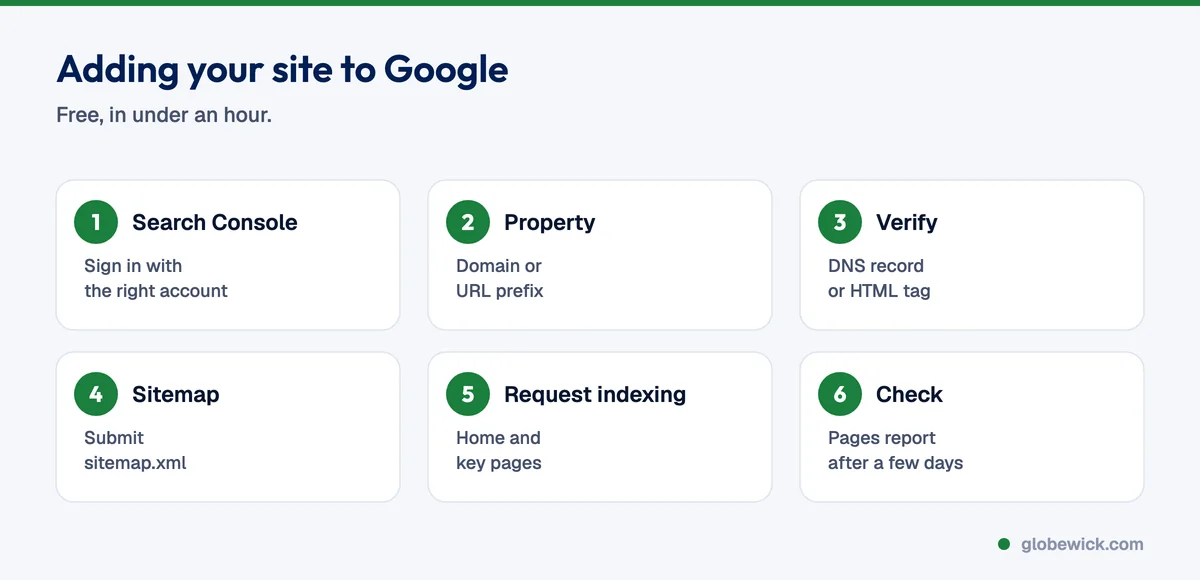
How do you add your website to Google Search, step by step?
- Open Google Search Console and sign in with the Google account you want to own the site's data.
- Add a property. Choose the Domain property if you can edit DNS records, because it covers every version of the site (with and without www, http and https). Choose URL prefix if you cannot.
- Verify ownership. For a Domain property, add the TXT record Google gives you at your domain registrar. For URL prefix, an HTML tag, a file upload, Google Analytics or Google Tag Manager also work.
- Submit your sitemap. In the Sitemaps report, enter the sitemap URL, often /sitemap.xml or /sitemap_index.xml. Shopify, WordPress with an SEO plugin, Wix and Squarespace create one automatically.
- Request indexing for key pages. Paste the home page and your main service, product or category pages into the URL Inspection bar and click Request indexing.
- Check the Pages report after a few days to see which URLs are indexed and why others are not.
Our Google Search Console guide explains every report you will see once the site is connected.
How do you add your site to Bing and AI search too?
Google is the main source of search traffic in India, the US and most other markets, but it is worth adding the site to Bing Webmaster Tools as well. You can import your Search Console property in a couple of clicks. Bing powers results inside several other search tools and AI assistants, so being indexed there helps visibility beyond Google.
How long does it take for a new site to show on Google?
A new site with a sitemap and a few internal links usually starts appearing within a few days to a few weeks. Ranking well for competitive searches takes much longer, often months, because Google needs time and signals such as links and reviews to trust a new domain.
To check whether a page is indexed, use URL Inspection in Search Console. A quick rough check is to search Google for site:yourdomain.com, which lists pages Google has stored, although the count is approximate.
Why is my website not showing on Google?
When a client tells us their site "is not on Google", it is usually one of these:
| Problem | How to spot it | Fix |
|---|---|---|
| Site is blocked from indexing | A noindex tag or "discourage search engines" setting | Remove the noindex tag or untick the setting, then request indexing |
| robots.txt blocks crawling | Disallow: / in yoursite.com/robots.txt | Allow crawling of public pages |
| Site is too new | No pages in the Pages report yet | Submit sitemap, add internal links, wait a little |
| Password or coming soon page | Store or site is still locked | Remove the password once launched |
| Thin or duplicate pages | "Crawled, currently not indexed" in Search Console | Make each page useful and distinct |
| Wrong canonical tags | Google chose a different URL than yours | Point canonicals at the page you want indexed |
| Manual action | Message in the Manual actions report | Fix the issue and request review |
If the site is indexed but you cannot find it, it may simply rank low. That is an SEO problem, not an indexing problem. Start with our website SEO guide and technical SEO basics.
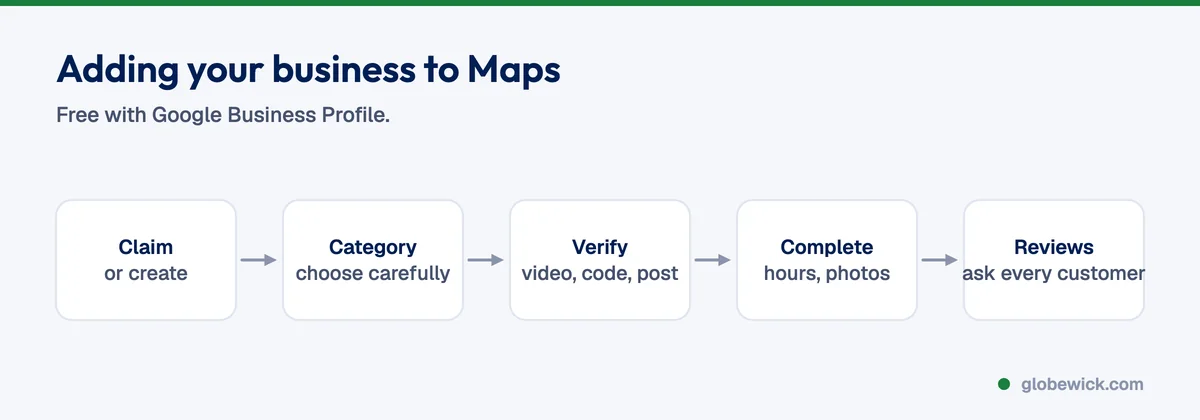
How do you add your business to Google Search and Maps?
Many people searching "add me to Google" want their business to appear with a phone number, hours, photos and directions when someone searches their name or a service nearby. That listing comes from a Google Business Profile, not from your website.
- Go to Google Business Profile and search for your business name. If it already exists, claim it. If not, create it.
- Pick your primary category carefully. It is one of the strongest local ranking factors. Add secondary categories for other services.
- Choose how customers reach you: a storefront address, a service area, or both. Service businesses that visit customers can hide their address.
- Add your phone number and website.
- Verify. Google may ask for a video of your premises, a phone or email code, or a postcard, depending on the business and country.
- Complete everything: hours, services, products, photos, a description and attributes.
- Start collecting reviews from real customers and reply to each one.
Our Google Business Profile guide covers ranking in the map pack in detail.
How do you add a restaurant, shop or home to Google Maps?
A restaurant or shop owner should create a Business Profile as above, then add the menu, booking or ordering links, and real photos of food and interiors. Restaurant listings with fresh photos, accurate hours and many recent reviews tend to win the map results for "near me" searches.
To add a place that is not a business you own, such as your home, a new building or a missing road name, open Google Maps, long press or right click the spot, and choose Add a missing place or Suggest an edit. To save your home address for directions, set it under Your places in the Maps app. Google reviews these suggestions before they appear.
Can I add myself to Google search as a person?
Searches for "add me to Google search" often come from people in India who want a personal listing when someone searches their name. Google has offered features for this in the past, such as people cards, but availability has changed over time. The reliable ways to show up for your own name today are:
- A simple personal website on your own domain, added to Search Console.
- Complete public profiles on LinkedIn and other relevant platforms, using the same name and photo.
- Mentions in interviews, industry sites and directories.
- If Google shows a Knowledge Panel about you, claiming it so you can suggest corrections.
How do you add Google search to your own website?
A smaller group of searchers wants the opposite: a Google search box inside their site. Google's Programmable Search Engine lets you create a search box that searches only your site, and embed it with a short code snippet. Most website builders and Shopify themes already include their own site search, which is usually a better experience for shoppers.
What should you do after your site is on Google?
- Give every important page a clear title and description based on what people search. Our on-page SEO checklist is a good start.
- Link your key pages from the menu and from each other. Pages with no internal links are slow to be found.
- Connect Google Analytics so you can see what search traffic does on the site.
- Check Search Console monthly for indexing problems and new keyword opportunities.
If you want this handled for you, our SEO agency and local SEO services cover setup, technical fixes and ongoing growth for businesses in every time zone.
FAQs
Is it free to add my website to Google?
Yes. Search Console, sitemap submission and Google Business Profile are all free. You only pay if you choose to run Google Ads.
Do I need to resubmit my site every time I add a page?
No. Google rechecks your sitemap and follows internal links. For an important new page, you can request indexing in URL Inspection to speed it up.
Why does Google show the wrong information about my business?
Usually because the Business Profile is incomplete, unclaimed or edited by users. Claim the profile, correct the details and keep your name, address and phone number the same everywhere online.
Can I pay Google to rank higher?
Not in organic results. Paying for Google Ads puts you in the sponsored positions, which is separate from organic ranking.
How do I get my Shopify store on Google?
Remove the store password, verify the domain in Search Console and submit the sitemap at /sitemap.xml. Then follow our Shopify SEO checklist.