 GLOBEWICK
Local SEO Guide: How to Rank in Google Maps with Your Google Business Profile
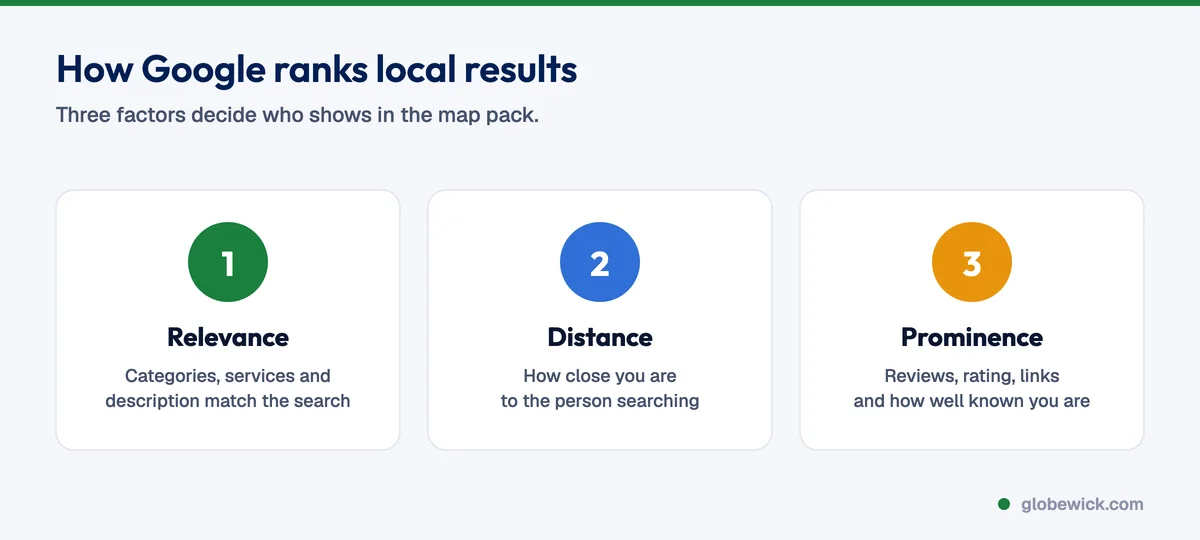
Local SEO is how a business gets found in Google Maps and local search results when people nearby search for what it sells, such as "dentist near me" or "IELTS coaching in Vaishali Nagar". For most local businesses in India, the biggest lever is the Google Business Profile, followed by reviews, consistent listings across directories and a website page for each area served. Google ranks local results on three things: relevance (how well your profile matches the search), distance (how close you are to the searcher) and prominence (how well known and well reviewed you are). This guide covers each step in order.
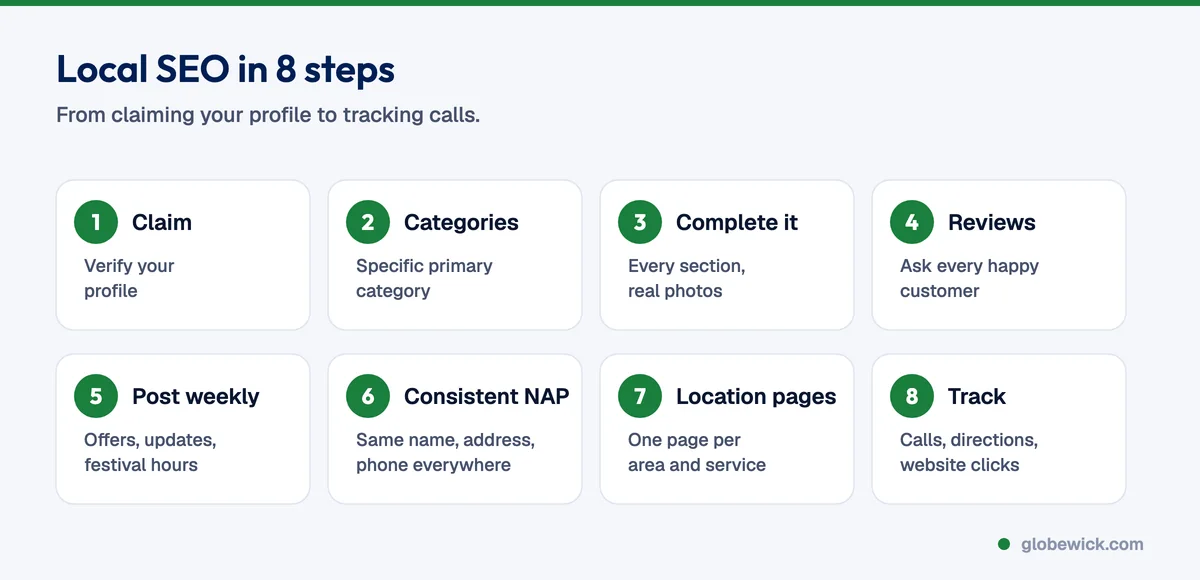
Step 1: Claim and verify your Google Business Profile
Search for your business on Google Maps. If a profile exists, claim it; if not, create one at Google Business Profile Manager. Verification is usually by phone, email or a short video of your premises. Use your real business name exactly as it appears on your signboard. Adding keywords to the name breaks Google's guidelines and can get the profile suspended.
Step 2: Pick the right categories
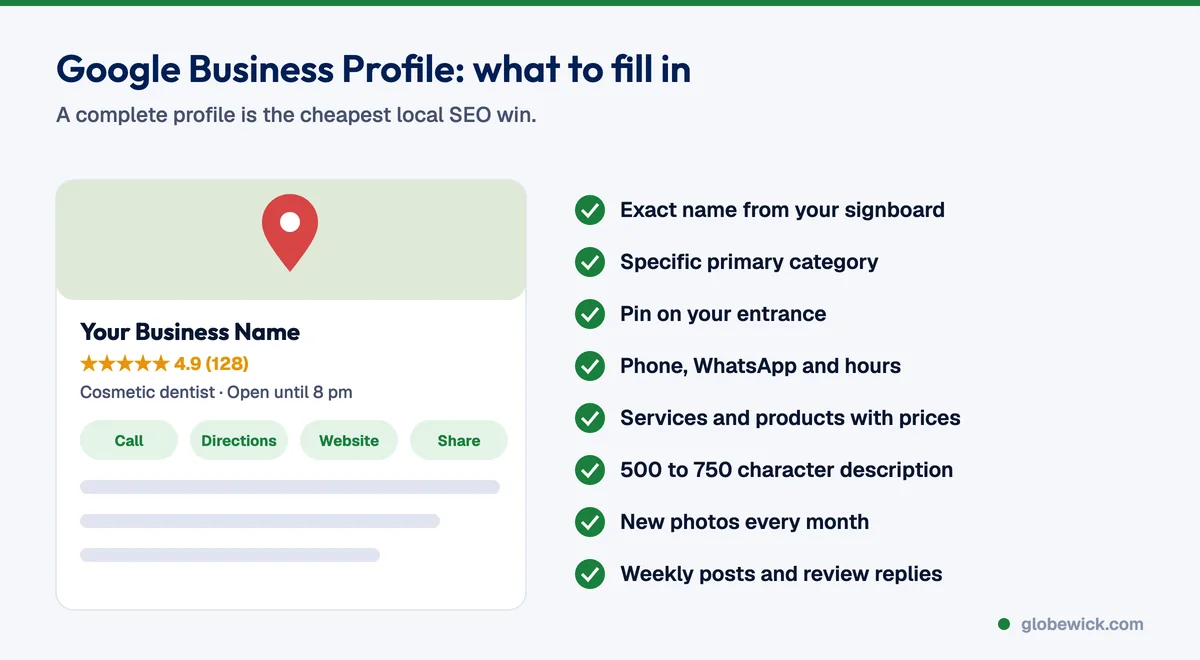
The primary category has more influence on local rankings than anything else you control. Choose the most specific one that describes your main service, such as "Cosmetic dentist" rather than "Dentist" if that is your focus, then add a few secondary categories for other services. Look at which categories the top three map results in your area use.
Step 3: Complete every section
- Address or service area, with the pin placed exactly on your entrance.
- Phone number that is answered during business hours, and WhatsApp if you use it.
- Hours, including special hours for festivals and holidays.
- Services and products with short descriptions and prices where possible.
- Description of 500 to 750 characters that explains what you do, for whom and where.
- Photos: storefront, interior, team and work. Add new ones every month.
Step 4: Build a steady flow of reviews
The number of reviews, how recent they are and your rating all affect prominence, and they decide whether people call you or a competitor. Ask every happy customer, at the moment they are happiest, with a direct review link on WhatsApp or a QR code at the counter. Reply to every review within a few days, thanking good reviewers by name and answering complaints calmly with a fix. Never buy reviews or offer rewards for positive ones; Google removes them and can restrict your profile.
Step 5: Post weekly
Use profile posts for offers, new products, events and festival hours. Posts keep the profile active, give searchers a reason to choose you, and can link to the right page on your website.
Step 6: Make your listings consistent
Your business name, address and phone number (often called NAP) should be identical on your website, Google, Justdial, Sulekha, IndiaMART, Practo or other industry directories, Facebook and Instagram. Different phone numbers or old addresses confuse Google and split your prominence.
Step 7: Give each location and service a page
Your website supports your map rankings. Create a page for each city or area you serve and each main service, with real local detail: address, landmarks, area-specific FAQs and photos. Link each Google Business Profile to its matching location page, not your homepage. Our on-page SEO checklist covers how to build these pages.
Step 8: Track calls and directions
The Performance section of your Google Business Profile shows calls, direction requests, website clicks and the searches people used to find you. Add UTM tags to your profile's website link so visits show separately in Google Analytics, and track enquiries from the profile every month.
Common local SEO mistakes
- Keyword-stuffed business names such as "Best Dentist Jaipur Dr Sharma Clinic".
- A virtual office or a co-working address used as a storefront.
- Duplicate profiles for the same location.
- Ignoring negative reviews instead of replying.
- Linking the profile to a homepage that never mentions the area or service.
FAQ
Is Google Business Profile free?
Yes. Creating and managing a Google Business Profile is free. You only pay if you choose to run Google Ads.
How long does it take to rank in Google Maps?
Profile improvements can lift visibility within a few weeks. Steady top-three map rankings usually take 2 to 4 months, depending on competition.
Can I rank in areas where I have no address?
Map results strongly favour businesses near the searcher. Service-area businesses can set service areas, and location pages on your website help you rank in normal search results for other areas.
What is the most important local ranking factor?
For most businesses, the primary category, closeness to the searcher and review signals have the biggest impact, followed by a complete profile and a relevant website.
Want this done for your business? Our local SEO services start with a free Google Business Profile audit.