 GLOBEWICK
Shopify SEO Checklist: How to Rank Your Shopify Store in Google
Shopify SEO is the work of making a Shopify store's collection pages, product pages and content rank in Google for searches made by people ready to buy. Shopify handles some basics for you, such as a sitemap, canonical tags and mobile-friendly themes, but it also creates problems: duplicate product URLs, thin collection pages, slow apps and missing structured data. This checklist covers the fixes that matter most for Indian D2C stores, in the order we usually do them, from technical setup to collection pages, product pages, content and links.
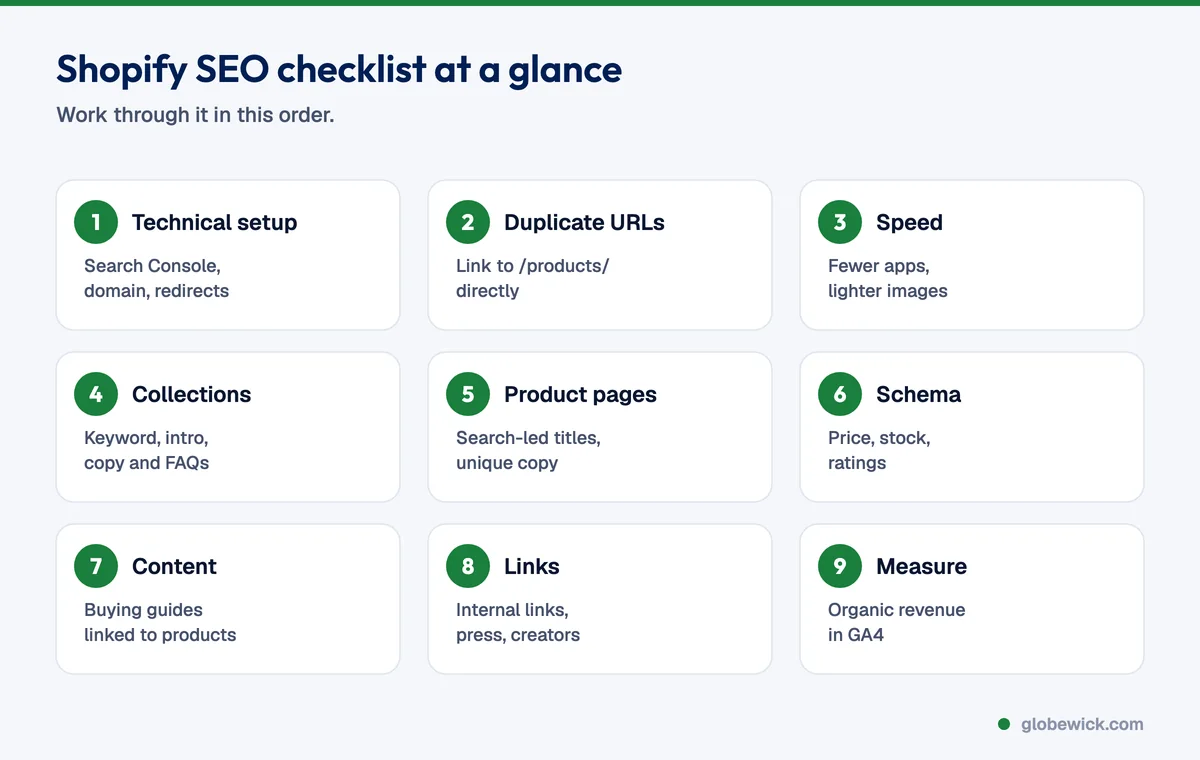
1. Technical setup
- Connect Google Search Console and submit
yourstore.com/sitemap.xml. Shopify generates it automatically. - Use one primary domain and make sure the myshopify.com address and the non-www version redirect to it.
- Remove the password page before launch, and check that
robots.txtis not blocking collections or products. - Check the Pages report in Search Console for pages that are "Crawled, currently not indexed" or blocked.
- Set up 301 redirects under Online Store, Navigation, URL redirects whenever you delete a product or change a handle.
2. Fix duplicate URLs
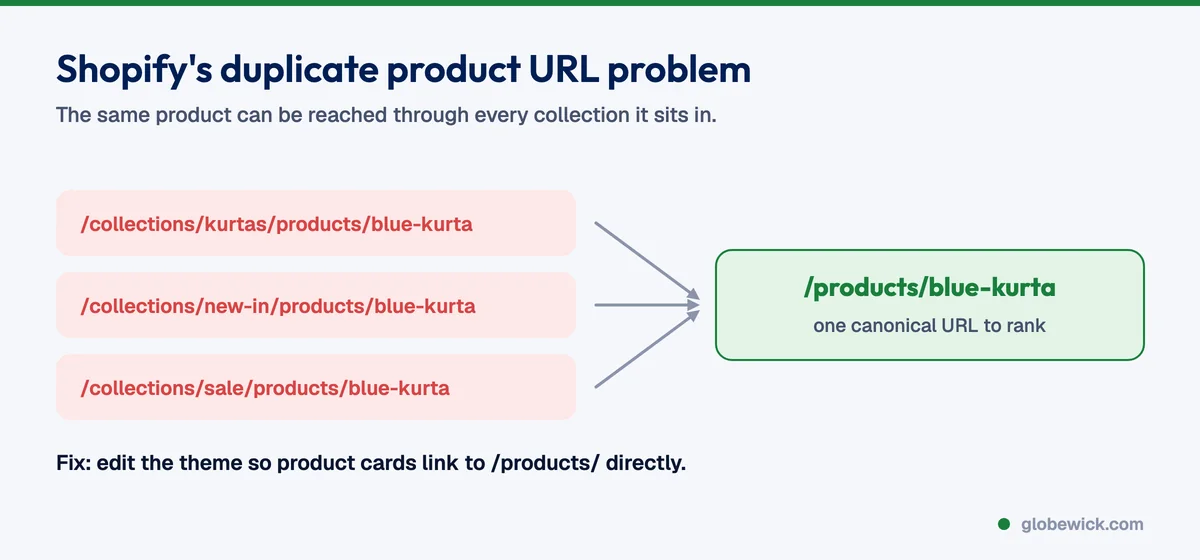
Many Shopify themes link to products through collection paths such as /collections/kurtas/products/blue-kurta, which creates a second URL for every product in every collection. The canonical tag points to /products/blue-kurta, but Google still wastes crawl on the copies. Edit the theme so product cards link directly to /products/ URLs. Filtered and sorted collection URLs should stay out of the sitemap and carry a canonical to the main collection.
3. Speed and Core Web Vitals
- Remove apps you no longer use, and check that their code was removed from the theme too.
- Compress images and let Shopify serve WebP. Keep hero images under about 200KB.
- Lazy-load images below the fold and avoid auto-playing videos at the top of mobile pages.
- Limit third-party scripts such as chat widgets, review apps and pop-ups. Each one slows down every page.
Read why site speed matters for SEO and conversion for more on this.
4. Collection pages: your biggest SEO opportunity
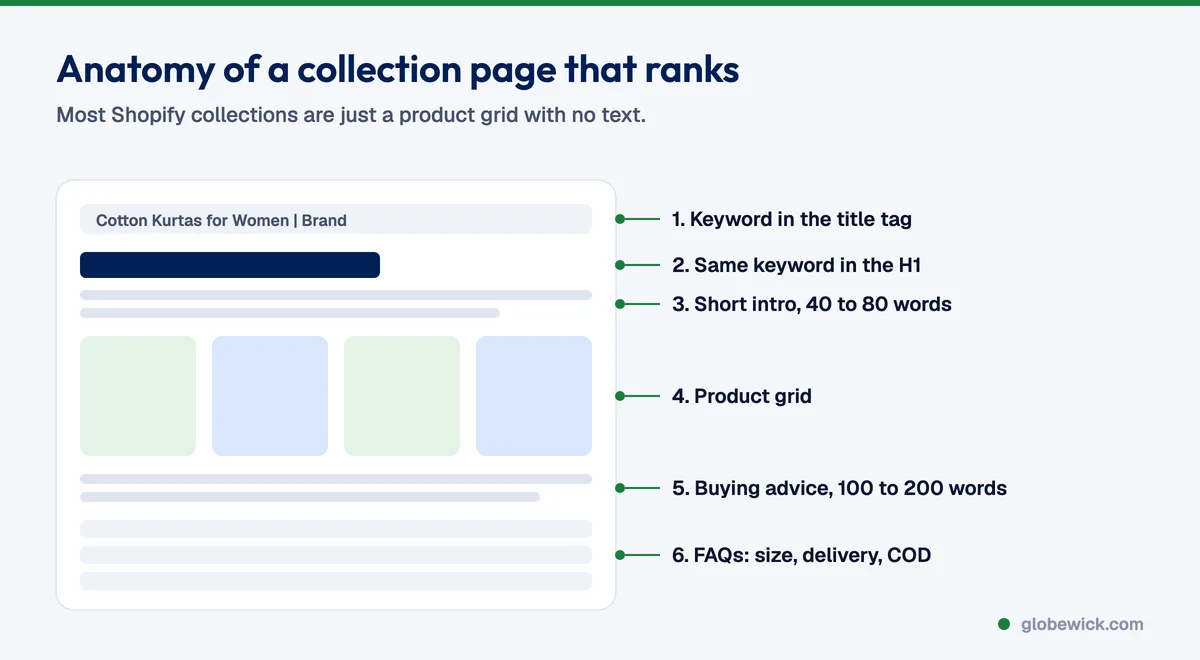
Collection pages usually match the searches with the most buyers, such as "cotton kurtas for women" or "protein bars online". Most Shopify collections have no text at all, so they rarely rank.
- Target one main keyword per collection and put it in the title tag, H1 and URL handle.
- Add 150 to 300 words of helpful copy, with a short intro above the products and buying advice or FAQs below.
- Write a unique meta description that mentions price range, delivery or offers to win the click.
- Link related collections to each other, such as "kurta sets" from "kurtas".
5. Product pages
- Product titles that match searches: "Men's Cotton Linen Shirt, Olive" beats a brand-only name.
- Unique descriptions, never copied from the supplier or from your marketplace listings.
- Descriptive image file names and alt text, such as
olive-linen-shirt-men.jpg. - Product FAQs answering size, material, delivery time and COD.
- Reviews on the page, which add fresh text and enable star ratings.
6. Structured data
Product schema tells Google the price, stock status and rating of each product, so your listings can show rich results. Most modern themes include basic product schema; check it with Google's Rich Results Test. Make sure your reviews app adds the rating to the same product markup, and add BreadcrumbList and Organization schema too.
7. Content that sells
Use the Shopify blog for buying guides and comparisons that people search before they buy, such as "how to choose a running shoe" or "matcha vs coffee", and link every guide to the right collection. Plan topics by buyer intent, as in how to build an SEO content calendar.
8. Internal links and links from other sites
- Link from your homepage and menu to the collections you most want to rank.
- Link from blog posts to products and collections, as explained in internal linking for SEO.
- Earn links through press features, creator collaborations, supplier and stockist pages, and gifting guides.
9. Measure what matters
Track organic revenue in GA4, not just rankings. Watch impressions and clicks for collection pages in Search Console, and review the pages that get impressions but few clicks. They usually need a better title and meta description.
FAQ
Is Shopify good for SEO?
Yes. Shopify handles sitemaps, canonical tags, SSL and mobile themes well. Most ranking problems come from thin collection pages, duplicate product URLs, slow apps and copied product descriptions, all of which can be fixed.
Do I need an SEO app for Shopify?
Not necessarily. Most of the work is page content, theme fixes and links. Apps can help with bulk meta tags or image compression, but every app adds code, so install only what you need.
How long does Shopify SEO take?
Fixes to existing pages can show results in a few weeks. New collection rankings and organic revenue usually build over 3 to 6 months.
Want an expert to do this for your store? Our e-commerce SEO services start with a free Shopify SEO audit.