 GLOBEWICK
How to Check Your Google Ranking: Free and Paid Rank Trackers
To check where your website ranks on Google for free, open Google Search Console, go to Performance, and look at the average position for each search query and page. For daily tracking of specific keywords in specific countries, cities or devices, or to check competitors' rankings, use a rank tracker such as Semrush Position Tracking, Ahrefs Rank Tracker, SE Ranking or AccuRanker. This guide explains the free and paid ways to check website rankings, how to read the numbers and what to do with them.
"Rank tracker" and "rank checker" were each searched 1,000 to 10,000 times a month in both India and the United States, according to Google Ads Keyword Planner data we pulled in November 2026, along with "website ranking checker" and "keyword rank checker".
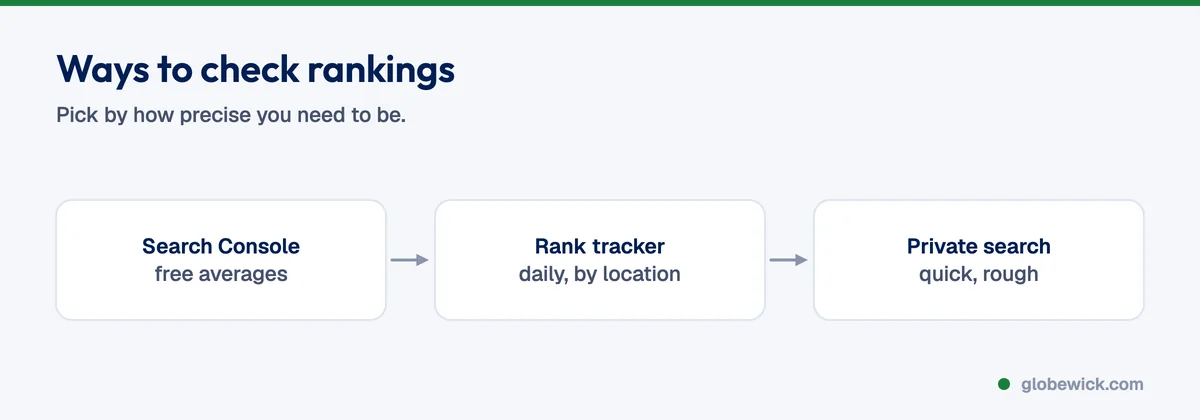
Method 1: Google Search Console (free)
- Open Google Search Console and choose your site.
- Click Performance, then turn on Average position.
- Look at the Queries tab for each search, and the Pages tab for each URL.
- Filter by country or device, and compare date ranges to see movement.
Search Console uses Google's own data and is free, but it shows averages across all the times you appeared, runs a few days behind and only covers your own site.
Method 2: Rank tracking tools
- Semrush Position Tracking: daily rankings by country, city and device, with competitor comparison and SERP features.
- Ahrefs Rank Tracker: tracks keywords alongside Ahrefs' backlink and keyword data.
- SE Ranking: a lower-cost all-in-one option popular with small businesses and agencies.
- AccuRanker: fast, precise rank tracking for large keyword lists.
- Free limited checkers: several tools offer a few free checks a day for one keyword and domain.
Compare more options in our list of the best SEO tools.
Method 3: A quick manual check
Search in a private or incognito window to reduce personalisation. Results still vary by location, device and search history, so treat a manual check as a rough guide, not a measurement.
Why your ranking looks different in each tool
- Location: results differ by country and city, especially for local searches.
- Device: mobile and desktop results can differ.
- Timing: rankings move during the day and after updates.
- Averages vs snapshots: Search Console averages all impressions, while trackers check once at a fixed time.
- SERP features: maps, videos and "People also ask" boxes change what "position 1" means.
What to do with your ranking data
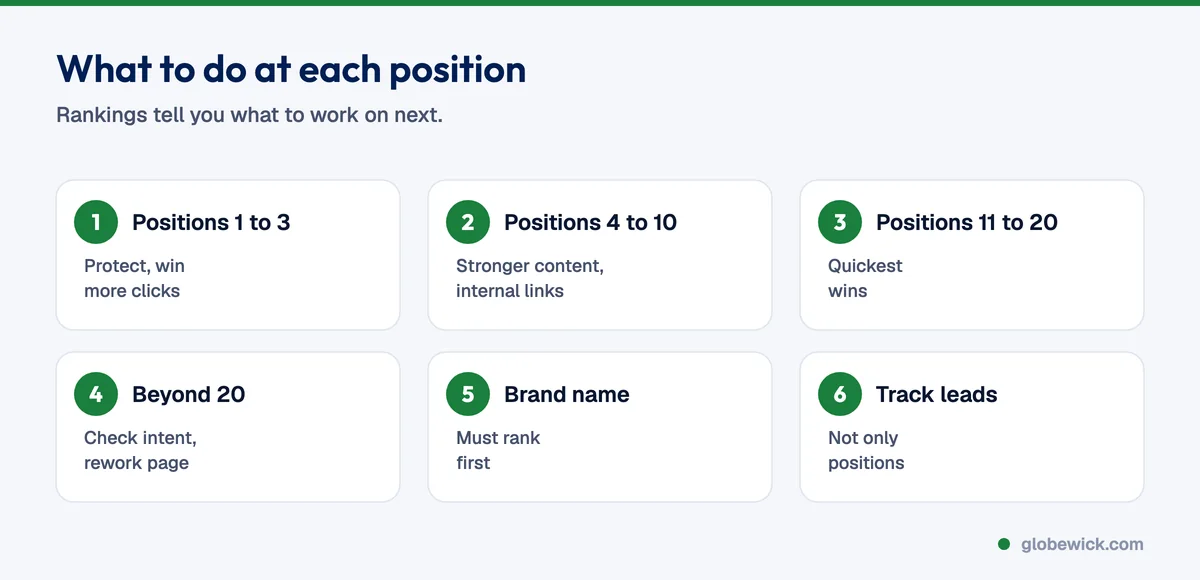
- Positions 1 to 3: protect them. Improve titles to win more clicks, and keep the content fresh.
- Positions 4 to 10: strengthen the content, add internal links and earn a few relevant links.
- Positions 11 to 20: your quickest wins. Improve the page against what ranks above you.
- Beyond 20: check whether the page truly matches the search intent, or whether another page on your site competes with it.
Step-by-step fixes are in our guide on how to do SEO, and links are covered in how to check backlinks.
Which keywords should you track?
- Your main service or product searches, including location terms for local businesses.
- The search each important page targets.
- A few competitor brand comparisons.
- Your own brand name, to make sure you rank first for it.
Rankings are a means to an end. Track clicks, leads and sales from organic search alongside positions. Need help? See our SEO services.
FAQ
How can I check my Google ranking for free?
Use Google Search Console's Performance report for average positions. For a single keyword, a free rank checker or a private browser search gives a quick snapshot.
How often should I check rankings?
Weekly is enough for most businesses. Daily tracking helps during launches, migrations and big content changes.
Why did my ranking drop?
Common causes are a Google update, technical problems, a competitor improving its page, lost links or another page on your site competing for the same search.