 GLOBEWICK
Email Deployment: A Step by Step Checklist for Safe Sends
Email deployment is the process of getting a marketing email from a finished draft into subscribers' inboxes: building and testing the email, choosing the segment, setting up authentication, scheduling the send, releasing it in batches if needed, and monitoring delivery, opens, clicks, complaints and bounces afterwards. Good deployment protects your sender reputation so future emails keep landing in the inbox.
"Email deployment" was searched 100 to 1,000 times a month in the United States and 10 to 100 times a month in India, according to Google Ads Keyword Planner data we pulled in November 2026. Most people searching it are marketers or developers who need a reliable sending process, not a definition alone, so this guide is a working checklist.
What does email deployment mean?
In agency and enterprise teams, "deployment" is the last mile of an email campaign. Strategy decides what to say, design and copy produce the email, and deployment is everything that makes sure the right version reaches the right people at the right time without errors. A deployment specialist (or the marketer wearing that hat) owns the final checks, the send settings and the first hours of monitoring.
It applies to one-off campaigns (a sale announcement, a newsletter, a launch) and to automated flows such as welcome series and abandoned cart emails, which are "deployed" once and then send continuously. For the wider picture, see our email marketing guide.
Why does email deployment matter?
Because mistakes at this stage are public and hard to undo. A broken link, a wrong discount code, a "Hi {first_name}" that did not merge, or a send to the full list instead of one segment cannot be recalled once it goes out. Worse, sending carelessly hurts deliverability. Gmail, Yahoo and Outlook judge every sender on complaint rates, bounces and engagement, and a few bad sends can push all your future email into spam.
Since February 2024, Gmail and Yahoo require bulk senders to authenticate their domain, offer one-click unsubscribe and keep spam complaint rates low (Google asks senders to stay below 0.3 percent, and recommends below 0.1 percent). These rules make careful deployment a requirement, not a nice extra.
What are the steps in an email deployment?
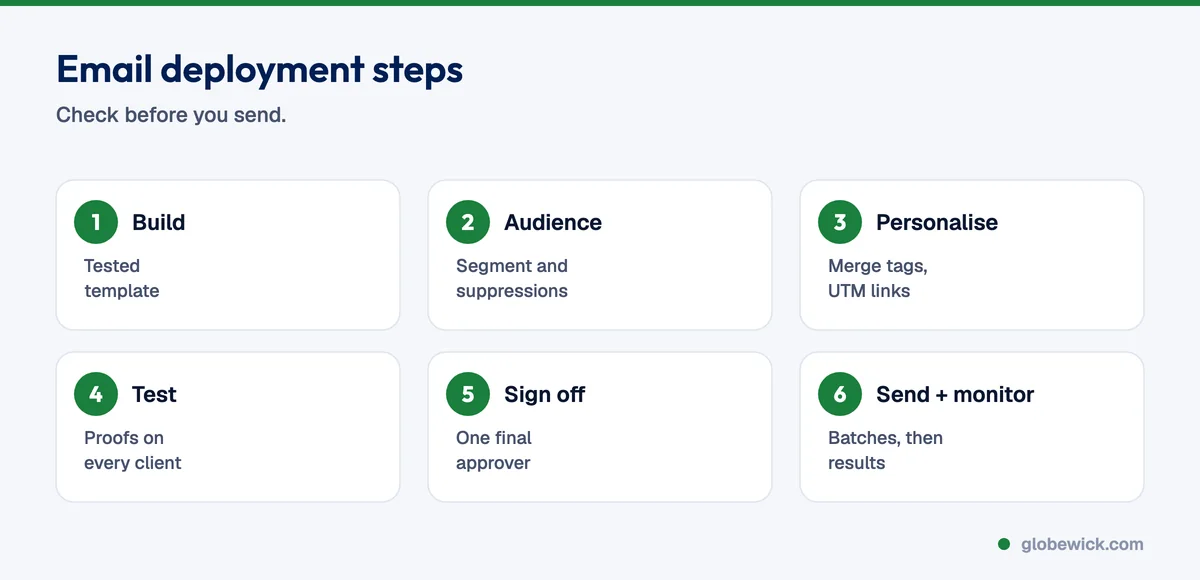
- Brief and build. Confirm the goal, audience, offer and deadline. Build the email in your platform or code it in HTML, using a tested template.
- Set up the audience. Choose the segment or list, apply suppressions (unsubscribed, bounced, recent purchasers if the offer does not apply to them) and check the count looks right.
- Personalise and add tracking. Merge tags with fallbacks, dynamic blocks if you use them, and UTM parameters on every link so sales show up in analytics.
- Test. Send proofs to yourself and a colleague, check rendering on mobile and desktop and in Gmail, Outlook and Apple Mail, click every link and check the plain text version.
- Get sign-off. One person approves the final copy, offer and audience in writing. This stops last-minute edits from slipping through untested.
- Schedule and send. Pick the send time for the audience's local time zone, decide whether to batch or throttle, and send.
- Monitor and report. Watch delivery, bounces and complaints in the first hours, then opens, clicks and revenue over the next few days.
What should be on a pre-deployment checklist?
| Area | Check |
|---|---|
| Sender | From name and address are correct, reply-to works, sending domain is authenticated |
| Subject | Subject line and preview text are set, no typos, no misleading claims |
| Content | Copy proofread, prices and offer codes correct, dates correct, images have alt text |
| Links | Every link clicked, UTM tags present, landing page live and matching the offer |
| Personalisation | Merge tags tested with a real record and with a blank record (fallback text shows) |
| Rendering | Checked on a phone in light and dark mode, and in at least two desktop clients |
| Audience | Right segment, suppressions applied, count matches expectations |
| Compliance | Unsubscribe link and one-click unsubscribe header present, physical address in footer |
| Timing | Send time set for the right time zone, no clash with another campaign to the same people |
How do you set up email authentication before deploying?
Authentication tells inbox providers your emails really come from you. You need three DNS records on your sending domain:
- SPF: lists the servers allowed to send email for your domain.
- DKIM: adds a digital signature to each email that proves it was not changed in transit. Your email platform gives you the record to add.
- DMARC: tells inbox providers what to do with mail that fails SPF or DKIM, and sends you reports. Start with a policy of "none" to monitor, then move to "quarantine" once everything passes.
Use a sending subdomain (for example mail.yourbrand.com) for marketing email, so any reputation problems do not affect the main domain your team uses for everyday email. Most platforms we use with clients, such as Klaviyo, Mailchimp, Brevo and HubSpot, walk you through this. Compare them in our list of the best email marketing platforms.
When is the best time to deploy an email?
There is no universal best time. The right time is when your audience reads email, in their own time zone. A few patterns we see:
- D2C and retail: evenings and weekends often do well, because people browse on their phones after work.
- B2B: weekday mornings in the recipient's time zone, avoiding Monday morning inbox overload.
- Sales and launches: send at the start of the sale window and again a few hours before it ends.
If your list spans several countries, use your platform's local time zone sending, or split the send by region. Then test: send half the list at one time and half at another for a few campaigns, and keep what wins on clicks and revenue, not opens alone (Apple Mail Privacy Protection inflates open rates).
Should you send to the whole list at once?
Not always. For large lists, or if you are sending from a new domain or IP, release the email gradually.
- Warm-up: a new sending domain should start with your most engaged subscribers and grow volume over two to four weeks.
- Throttling: send in batches over a few hours so inbox providers do not see a sudden spike, and so your website can handle the traffic.
- Engagement segments: send big campaigns first to people who opened or clicked in the last 90 days, then to less engaged subscribers only if the first send went well.
- Sunset old subscribers: people who have not engaged for six months or more should get a re-permission email, then be suppressed.
What should you check after you hit send?
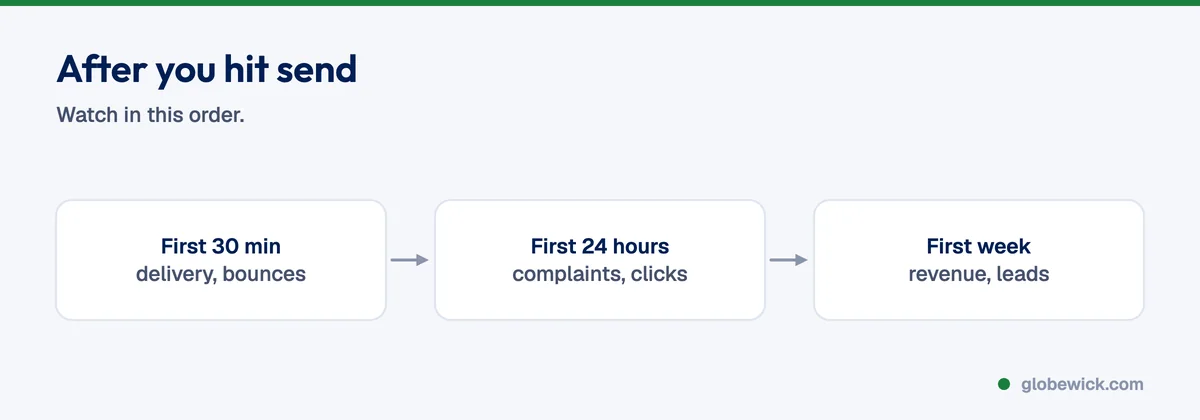
- First 30 minutes: delivery rate, hard bounces and any replies reporting a problem. If something is wrong, pause the remaining batches.
- First 24 hours: spam complaints, unsubscribes, click rate, and whether the landing page is converting.
- First week: revenue or leads attributed to the email, compared with similar past sends.
- Ongoing: sender reputation in Google Postmaster Tools and Microsoft SNDS, and the trend in inbox placement.
If you do send a mistake, a short, honest correction email to the same segment is usually better than silence. Keep it brief and do not send more than one.
How do you deploy automated email flows?
Automated flows need the same care, plus a few extra checks because they run for months without anyone looking. Test each trigger with a real test profile, check the wait times and exit conditions, confirm discount codes will not expire, and set a calendar reminder to review the flow every quarter. Our guide to the email and SMS flows every D2C store should have live lists the flows to start with, and the marketing automation guide explains triggers and conditions.
Email deployment in India and global markets
The technical rules are the same everywhere because they are set by Gmail, Yahoo and Microsoft. Consent rules differ. In the EU and UK, GDPR and PECR require clear opt-in for marketing email. In the US, CAN-SPAM requires an unsubscribe option and a physical address. In India, the Digital Personal Data Protection Act sets out consent and data handling duties as its rules come into force, so collect clear consent at sign-up and keep a record of it. Many Indian brands also run WhatsApp alongside email, and the same discipline applies there. See WhatsApp follow-up sequences that do not feel like spam.
Running a D2C store and want email, WhatsApp and paid campaigns that work together? See our ecommerce marketing services.
FAQs
What is an email deployment specialist?
Someone who builds, tests, schedules and sends email campaigns, and monitors deliverability. In smaller teams the email marketer or agency does this job.
What is the difference between email deployment and email marketing?
Email marketing is the whole discipline: strategy, list building, content and analysis. Deployment is the execution stage that gets each email sent correctly.
How do I stop my emails going to spam?
Authenticate your domain with SPF, DKIM and DMARC, send only to people who opted in, remove inactive subscribers, include one-click unsubscribe and keep complaint rates very low.
How long does an email deployment take?
For a tested template, building and checking a campaign usually takes a few hours. A new template, a new domain or a complex segment can take several days including warm-up.
Can I recall an email after deployment?
No. Once delivered, marketing emails cannot be recalled. You can pause remaining batches if you throttle the send, which is one reason to use batching for large lists.
What tools are used for email deployment?
Email service providers such as Klaviyo, Mailchimp, Brevo, HubSpot and Salesforce Marketing Cloud, plus testing tools like Litmus or Email on Acid for rendering checks.